日本語
日本語

QUICK ANSWER Optimizing Thermal Pad design creates a short, low-resistance path from an IC exposed pad into PCB copper without weakening the solder joint. The key is to coordinate land size, solder mask, copper spreading, thermal vias, stack-up, and stencil design, then verify the assembled board.
What Is a PCB Thermal Pad
A PCB thermal pad is the copper land soldered to the exposed metal paddle under a QFN, DFN, power SOIC, or similar package. It transfers heat into the PCB and may also provide an electrical connection. Many exposed pads connect to ground, but some connect to another net, so the datasheet always controls.
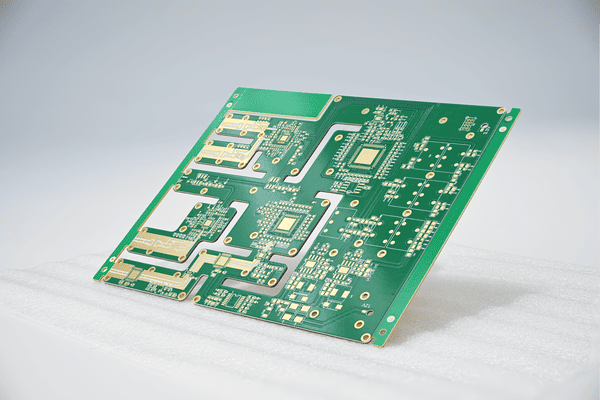
How PCB Thermal Pads Manage Heat
Thermal Management depends on the complete path from the silicon junction through the package paddle, solder joint, copper land, vias, and internal planes. Effective Thermal Management therefore requires more than a large surface pad. Estimate junction temperature from power loss and the applicable thermal resistance, but remember that datasheet theta JA values use defined JEDEC test boards. Validate the real enclosure, airflow, copper area, and nearby heat sources.
Optimizing Thermal Pad Layout
1. Match the land size. Use the package supplier's recommended dimensions. Oversizing can increase solder float, voiding, and bridging risk, while undersizing reduces heat-transfer area and placement margin.
2. Control the solder mask. NSMD openings are common because copper defines the joint, but segmented SMD designs are also valid when specified. Keep mask off intended solder surfaces and preserve clearance to perimeter pads and traces.
3. Extend copper correctly. Connect the land to the correct plane with broad, continuous copper. Thin traces and thermal-relief spokes restrict heat flow. Ground is appropriate only when the datasheet identifies the exposed pad as ground.
4. Segment the stencil. Use several smaller stencil apertures instead of one full opening. This limits paste volume and gives flux gases an escape path.
Thermal Via Optimization
Thermal Via Optimization moves heat from the surface thermal pad into inner and bottom copper. Review these points together because each choice affects cooling and solder quality.
1. Position: Place vias inside or immediately beside the thermal land and connect them to the nearest useful plane. A shorter vertical path lowers spreading resistance.
2. Count and pitch: Use a regular array based on pad area, power loss, board thickness, finished hole, plating, and plane area. More vias eventually give diminishing returns, so there is no universal count.
3. Diameter: As an initial supplier discussion point, many conventional designs use about 0.20 to 0.35 mm finished holes on 0.8 to 1.2 mm pitch. The device recommendation and fabricator capability must set the final values.
4. Solder wicking: Open via-in-pad can pull solder away from the joint. Filled and capped vias provide the strongest control; bottom-side plugging or tenting may be alternatives when the assembler approves them.
5. Process validation: Package guidance often starts near 50% to 80% paste-area coverage. Tune the aperture pattern and reflow profile using solder paste inspection and X-ray results rather than treating that range as an acceptance limit.
PCB Material and Stack Up Optimization
| Option | When it helps | Important limit |
|---|---|---|
| Standard FR4 | Moderate power with adequate copper, vias, and airflow | Thermal performance depends mainly on the full board design |
| High Tg FR4 | Higher service or assembly temperatures | Improves stability, not thermal conductivity; it does not guarantee fewer voids |
| Heavy copper | High current and lateral heat spreading | Changes etching, spacing, dielectric balance, and cost |
| Metal core PCB | High-power LEDs and concentrated heat loads | Isolation layer resistance and routing limits must be evaluated |
Place a large, continuous plane on the nearest practical inner layer. This shortens the path from thermal vias to the spreading plane and usually improves Thermal Management more predictably than selecting a laminate by Tg alone.
Common Mistakes to Avoid
Copying the wrong footprint: A generic QFN footprint can differ from the exact package revision.
Assuming every pad is ground: The exposed pad may be ground, a supply, or a switching node.
Ignoring via wicking: Open vias can drain paste and reduce joint coverage.
Confusing Tg with conductivity: High Tg improves thermal stability but is not the same as high thermal conductivity.
Using theta JA without context: Theta JA is test-board dependent and is not a fixed system value.
Conclusion
Optimizing Thermal Pad performance requires one coordinated design: match the package land, create a broad copper path, use a controlled thermal-via array, manage paste and solder wicking, and validate the assembled board. This improves Thermal Management without trading away electrical or solder reliability.
Frequently Asked Questions
How many thermal vias should I use?
Use enough vias to meet the junction-temperature target within the pad area and fabrication rules. Start with package guidance, estimate the full heat path, and validate the prototype.
How can I reduce thermal pad voiding?
Use multiple smaller stencil apertures, controlled paste volume, managed via openings, and a tuned reflow profile. Confirm the result by X-ray against the agreed product-class criteria.
When should I use a metal core PCB?
Consider a metal-core PCB when a practical FR4 design cannot meet power-density or surface-temperature limits. Evaluate dielectric thermal resistance, isolation voltage, routing, and mounting before changing the substrate.